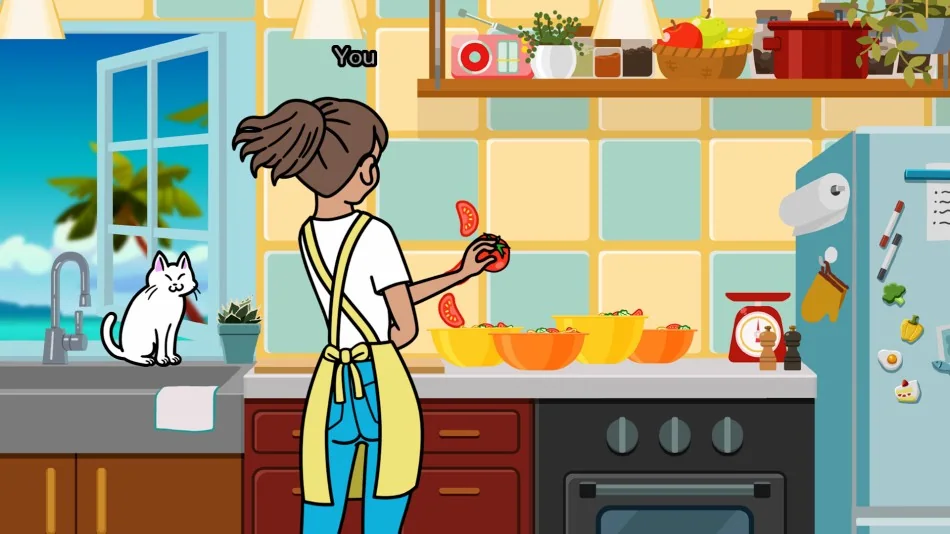
Set up for timing before scoring
Start with the sound path. Rhythm Heaven games punish late reactions, so weak TV speakers, Bluetooth audio delay or a crowded room can make a clean input feel wrong. If you are playing on a television and the beat feels behind your button press, open calibration before repeating the same mistake. Nintendo UK specifically calls out timing calibration options, and that matters more here than in most party games because the input window is the whole game.
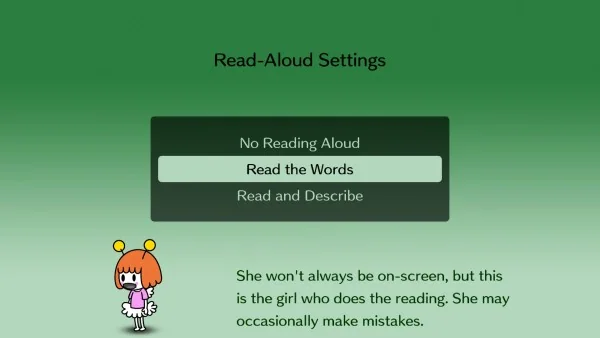
Use accessibility options as tools, not as a sign that you are playing the wrong way. Li'l Miss Reeds can read on-screen text aloud, which is useful when a tutorial mixes written instructions with quick visual movement. If you are learning with another player, have one person listen for the count while the other watches the screen, then swap roles. That split quickly reveals whether the miss is audio timing, visual overreaction or simple unfamiliarity with the phrase.
- Use wired or low-latency audio when possible.
- Calibrate on TV before judging your own timing.
- Replay the tutorial once if the spoken cue carries the whole game.
- Try handheld mode if the television setup feels inconsistent.
Read tutorials like music notation

Every rhythm game teaches a rule in miniature. Hoop Trundling is a clean example: the official description says to listen for "pa pi pu pe po" and jump on the last sound. That is more precise than watching the hoop. The sentence tells you the count, the trigger and the action. When another game introduces a different phrase, write the rule in the same shape: hear this pattern, press on this sound, ignore this visual trick.
Do not mash after a miss. A failed input usually means you were early, late or listening to the wrong layer. Replay the lesson, find the part of the phrase that actually carries the button press, then return to the full game. Rhythm Heaven Groove is designed around short loops, so restarting a lesson costs less time than learning a bad habit across a full set.
A useful test is to hum the cue without touching the controller. If you cannot hum the setup and the press point, you are probably reacting to the animation instead of the rhythm. Once the phrase is in your head, one clean button press teaches more than five impatient retries.
First-session route

For a first session, play several solo games before jumping into multiplayer. Solo games isolate one timing rule at a time. Multiplayer games add turn order, shared pressure and friend noise, which is more fun once you already know how the game phrases its cues. If you have the demo, finish the first five solo games, then test the tweezer timing together so everyone understands how the input language translates to a group setting.
After the first run, pick one game that felt close and one game that felt impossible. Replay the close one until you can explain the cue out loud. Then return to the hard one and look for the same structure. This is faster than grinding every stage in order because it trains pattern recognition across the whole game.
- Solo first: learn the input grammar without group pressure.
- Demo players: transfer progress before starting the full game on the same account.
- Replay close misses: they teach more than games you completely fail.
- Save medal grinding until after you understand each cue type.